Problems and quick fixes
The extension puts each audit finding in VS Code's Problems panel, at the file and line it names. Three of them offer a quick fix that edits the YAML for you. CodeLens lines above the YAML and schema help for allez.yml come from the same run of allez document.
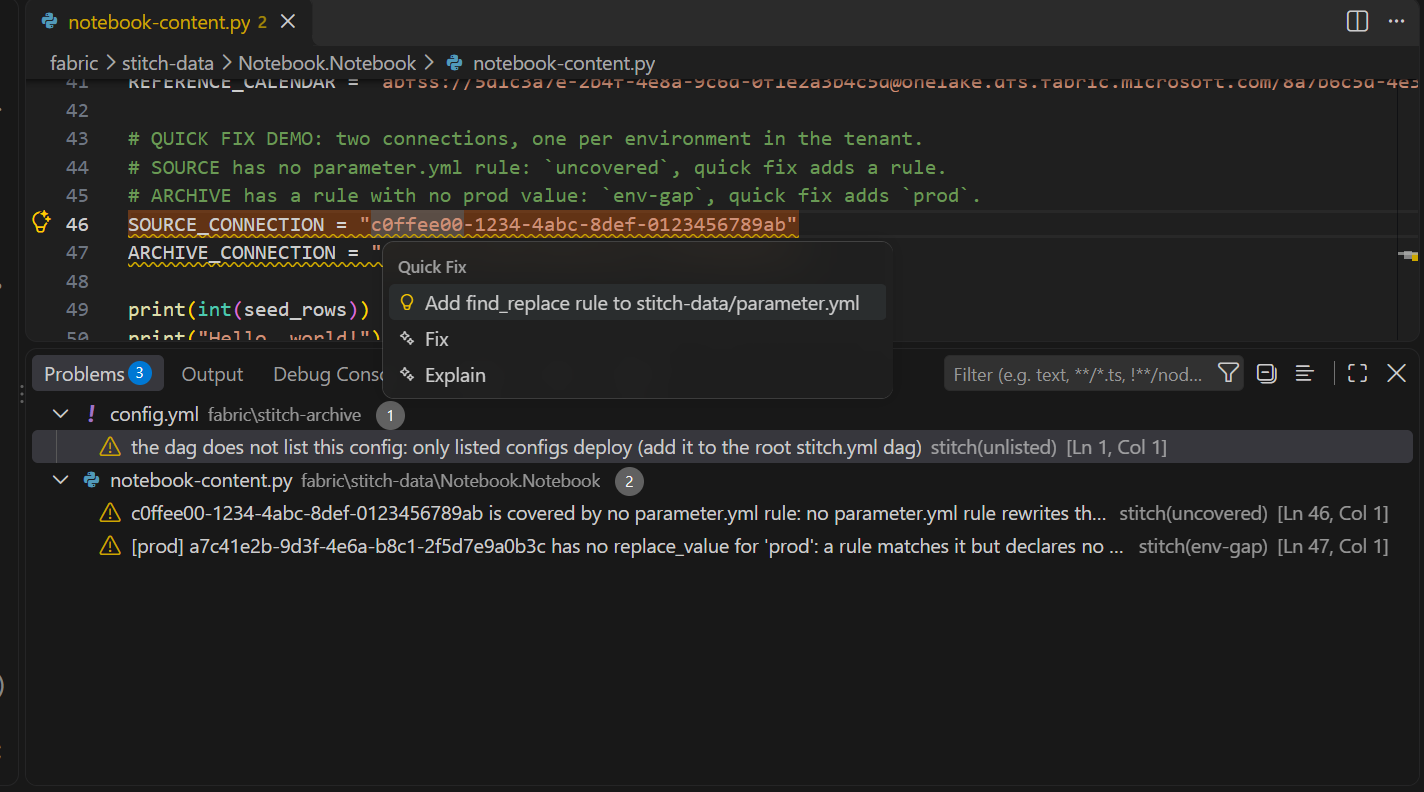
Problems
The severities follow what fails the audit:
| Finding | Severity | Meaning |
|---|---|---|
uncovered |
Warning | An environment-specific id that no parameter.yml rule rewrites. It deploys as committed into every environment. |
env-gap |
Warning | A rule matches the id but has no value for that environment. |
dead-rule |
Information | A rule matches nothing, usually because an item was renamed or removed. |
order |
Information | A rule or $allez.* token names something that is published after it, so on an empty workspace it resolves to nothing. |
unused-accept |
Information | An audit.accept: entry in a sub-folder's allez.yml that matches no finding. |
| not in the dag | Warning for a config.yml, Information otherwise |
A config or hooks file the root allez.yml dag does not name. Only what the dag names deploys. |
A finding that a sub-folder's allez.yml accepts with audit.accept: is left out of the panel. The Deployment view still lists it, with its reason. Accepting a finding explains the key.
Quick fixes
Three findings offer a fix (the light bulb, or Ctrl+.). Each one inserts lines into a YAML file and touches nothing else. VS Code's refactor preview shows the change first; click Apply and the file is saved, so the extension runs again and the warning goes:
| On | Quick fix | Edits | Adds |
|---|---|---|---|
An uncovered id in an item file |
Add find_replace rule to <parameter file> |
The sub-folder's parameter.yml |
A find_replace entry with the id as find_value and a TODO value for every environment. Offered only when the sub-folder's config.yml names a parameter file. |
An env-gap on a rule |
Add <env> to replace_value in <parameter file> |
The same parameter.yml |
The missing environment key under the rule's replace_value. |
A config.yml the dag does not name |
Add <config> to the dag in allez.yml |
The root allez.yml |
A new dag node, with no depends_on. |
A skeleton rule is a start, not a fix. A literal find_value goes stale once a binding deploy commits rebound ids back to the branch, so finish it as an is_regex rule anchored on the text around the id, with a dynamic replacement. parameter.yml shows the shape, and the sample's fabric/allez-data/parameter.yml is a worked example. Save after each change; the warning stays gone while the rule matches.
CodeLens
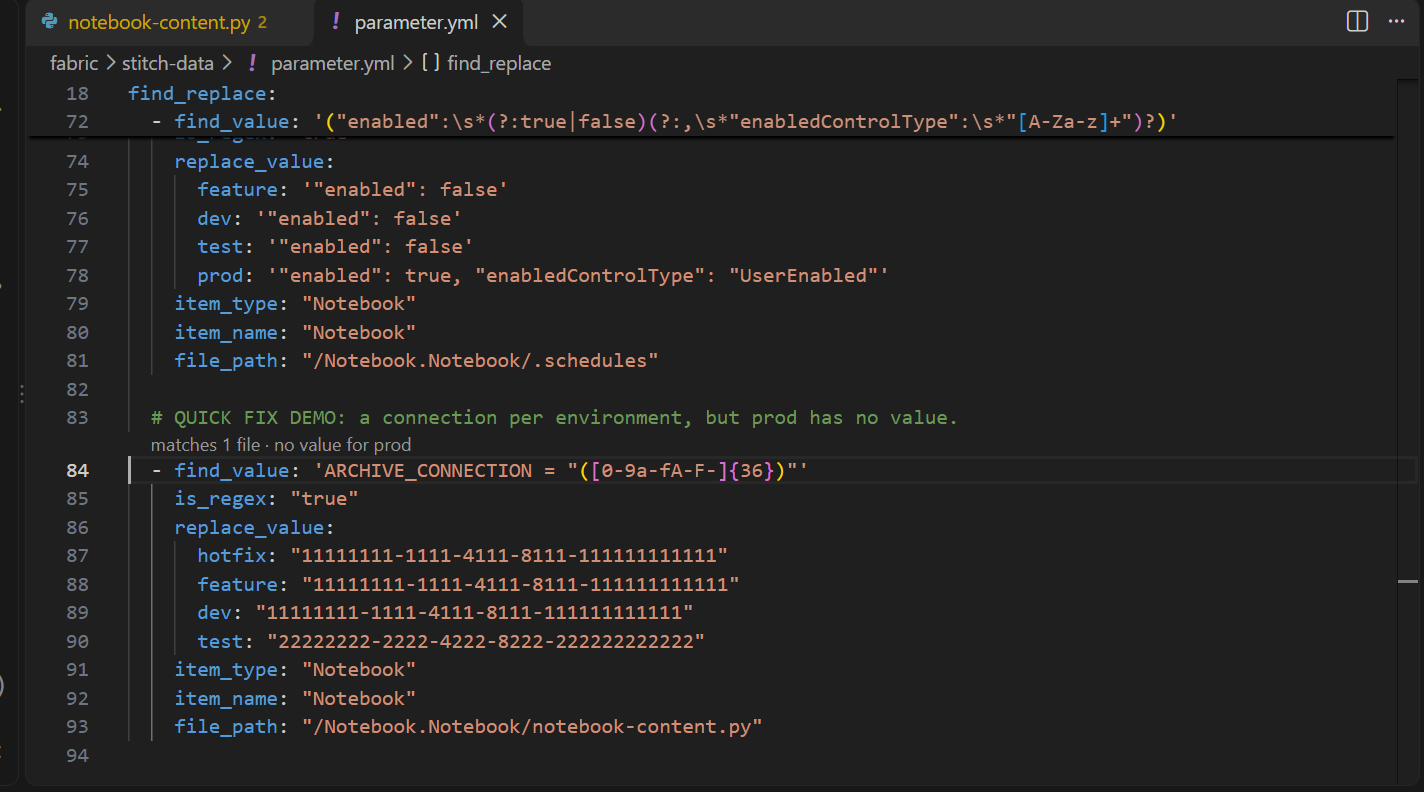
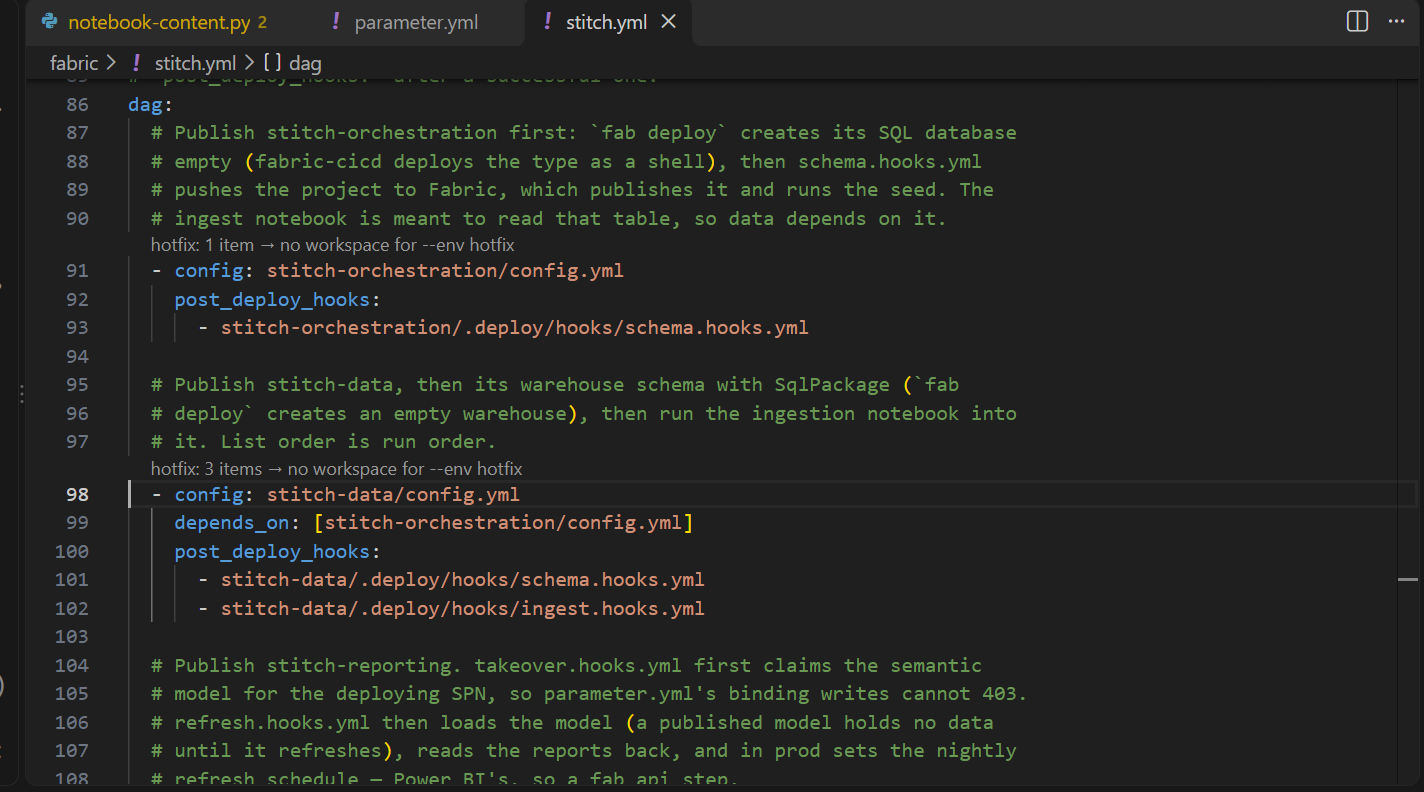
Two kinds of line appear above the YAML:
- Above each rule in a parameter file: how many files it matches,
dead rulewhen it matches none, and the environments it has no value for. Click it to open the first match at its line. - Above each node in the root
allez.ymldag: the Deployment view's selected environment, what the node deploys and the workspace it goes to. Click it to show the view.
Schema help
allez.yml files get completion and hover help from the allez.schema.json the extension ships, through the YAML extension. It describes the keys; allez's loader is still the one that decides, because the schema cannot see your environment names or the files on disk.